
Angry Birds 2 PC
Play Angry Birds 2 on PC with HD graphics, precise mouse aiming, no ads, and multi-stage levels. Download now and enjoy the ultimate bird-vs-pig puzzle adventure.
Angry Birds 2 PC brings the world’s most famous slingshot puzzle game back in an upgraded, modern, and more strategic version designed for the next generation of players. Developed by Rovio Entertainment, this sequel builds on the global success of the original Angry Birds, a franchise that has generated over 4.5 billion downloads, a Hollywood movie series, merch, and even animated shows. Angry Birds 2 isn’t just a remake it introduces new birds, spell cards, multi-stage levels, boss battles, and competitive modes that make every round more exciting than the last.
Instead of single-screen stages, Angry Birds 2 introduces multi-part levels, meaning structures collapse, pigs move, towers evolve, and the battlefield changes as you progress. Birds now have levels, upgrade stats, and can be selected in any order, giving players more freedom in strategy. With stunning HD graphics, improved physics effects, and explosive animations, the Angry Birds 2 PC version makes every shot more satisfying especially on a bigger screen with precise mouse control.
The game is free-to-play, packed with daily rewards, PvP arena battles, clan team events, and the hilarious chaos the franchise is known for. If you loved the original Angry Birds, this sequel will feel bigger, smarter, and far more replayable. And if you’re a new player? There’s no better time to start. Scroll down to learn the game’s key features, how to download Angry Birds 2 for PC, system requirements, gameplay tips, and why the PC version is the best way to play.

Key Features
1. Multi-Stage Levels for Deeper Strategy
Unlike the original Angry Birds 2 PC where each level had a single stage, Angry Birds 2 introduces multi-stage levels, meaning the battlefield changes after each section. As you destroy the first tower, the pigs regroup in a new structure, often with stronger materials and different angles. This forces players to plan ahead, conserve birds, and adapt mid-level rather than use all firepower in one shot. Multi-stage gameplay adds depth, challenge, and replay value.
2. Choose Your Bird Order No More Fixed Lineup
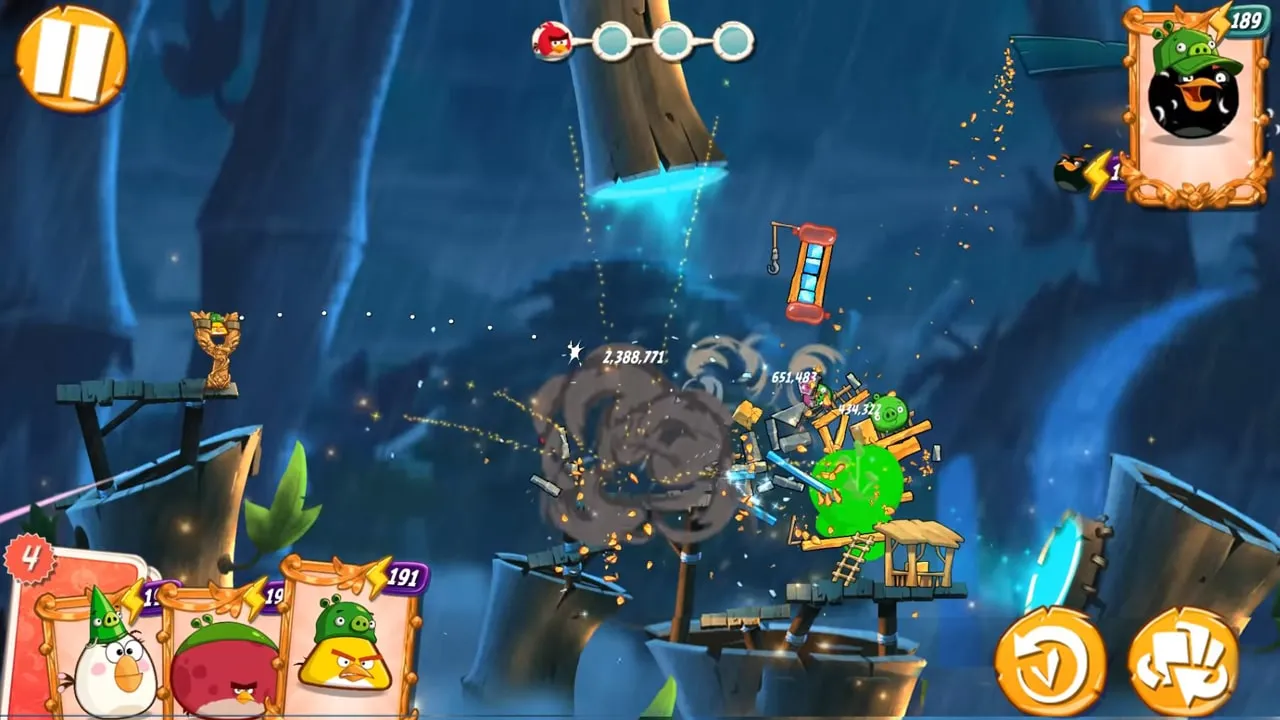
In the first Angry Birds game, birds always appeared in a preset order. But in Angry Birds 2, you get bird cards, allowing you to choose which bird to launch next. This flexibility gives players more control and encourages smart decision-making. For example, you can start with Chuck to clear wood, save Bomb for stone, and use Silver’s dive ability when towers get tall. New players instantly feel more strategic instead of limited by game order.
3. New Bird Abilities and Playable Characters
The iconic cast returns Red, Chuck, Bomb, Blues, Matilda, and the massive Terence but Angry Birds 2 PC also introduces Silver, a bird that performs a mid-air loop dive, ideal for collapsing vertical towers. Every bird has a unique mechanic and damage type, meaning you must learn which bird works best against which material (wood, glass, stone). This adds both learning depth and creativity to every shot.
4. Boss Pig Battles
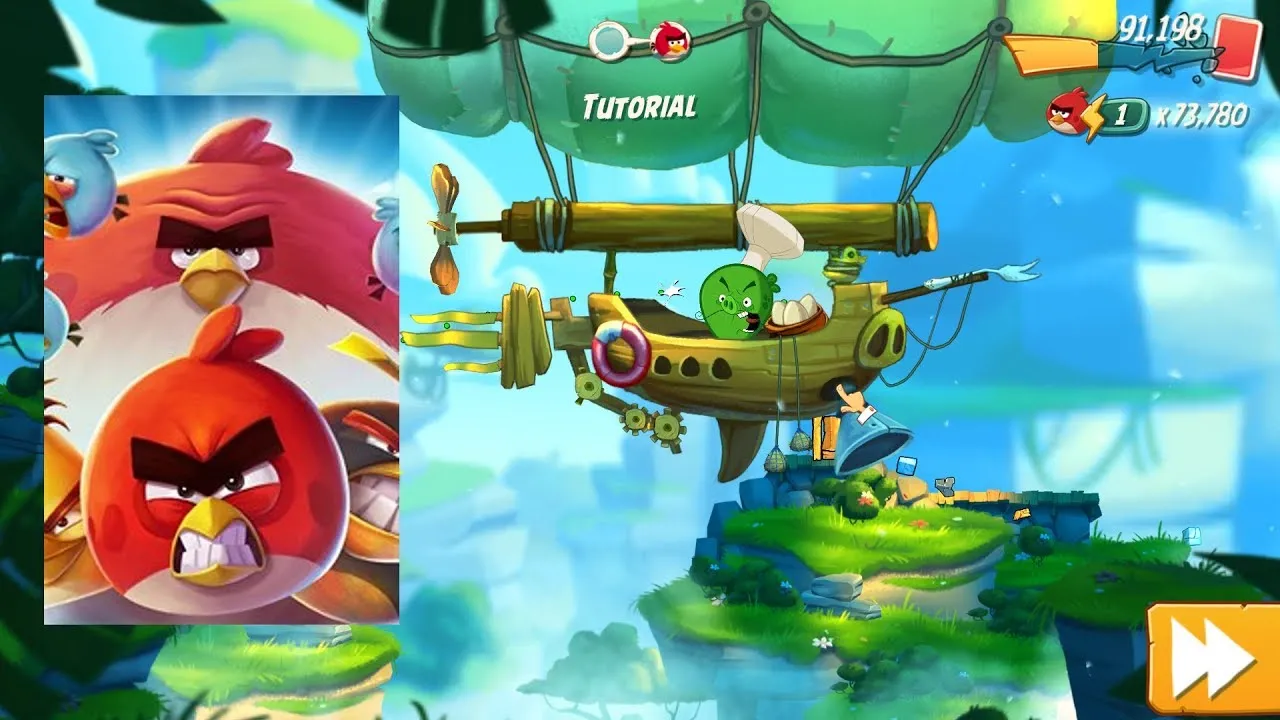
Certain stages contain huge armored pigs like Foreman Pig, Chef Pig, and King Pig. These boss fights require multiple hits, well-aimed explosions, or spell support. Boss fights introduce a new layer of tension and fun instead of simply breaking structures, you must strategically target a single main enemy with high HP, just like a mini-boss in adventure games.
5. Spell Cards for Instant Power-Ups
One of the biggest gameplay upgrades in Angry Birds 2 PC is the introduction of Spell Cards, powerful one-use abilities that can completely change the outcome of a level. Unlike normal birds, spells are not launched from the slingshot in a traditional way they act like special attacks that instantly damage structures, eliminate pigs, or change the entire environment to your advantage. These spells are especially helpful in boss stages, multi-level towers, and hard layouts where traditional shots aren’t enough.
6. Arena PvP Mode (Player vs Player)
The Arena introduces real-time competition. You and another player are given the same level layout whoever destroys more and earns the highest score wins. Winning earns trophies, feathers, chests, and seasonal rewards. This mode transforms Angry Birds 2 into a competitive multiplayer game, not just a solo puzzle.
7. Clans and Team Events
Players can join or create clans to compete in Co-op challenges, Clan vs Clan battles, and special leaderboard missions. Clan members can donate extra lives, share rewards, and unlock exclusive badges. It adds a social community layer similar to games like Clash of Clans but in a puzzle format.
8. Bird Leveling, Feather Upgrades & Hatchlings
Birds no longer stay at default power. You can level up every bird using feathers, increasing their damage output. You can also hatch and upgrade a Hatchling pet, which gives global score multipliers. This progression system rewards long-term play and helps players beat tougher stages without relying only on aim.
9. Events, Daily Challenges & Tower of Fortune
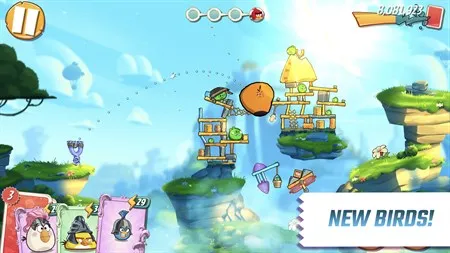
One of the biggest reasons Angry Birds 2 PC stays fun long after you finish the main levels is its constantly updated event system, designed to reward active players with gems, feathers, spells, hats, chests, and exclusive power-ups. Instead of just replaying old levels, the game gives you fresh goals every day, making it feel more like a living game than a simple puzzle app.
10. Improved HD Graphics, Physics & Explosions on PC
The PC version of Angry Birds 2 has higher frame rate, fullscreen visuals, and sharper animated destruction compared to mobile. Stone breaks more realistically, wood snaps with splinters, TNT explosions shake the screen, and boss pigs react expressively. Combined with precise mouse aiming, the PC version makes every collapse feel more cinematic and satisfying.
How to Download Angry Birds 2 on PC
- Click the Download button on this page to safely get the latest PC build.
- Choose your platform (Windows recommended; Mac/Linux may also be available if listed).
- When prompted, Save the file to an easy location (e.g., Downloads or Desktop).
- If the file is a .zip (or .rar), right-click it and select Extract All… to a new folder.
- Open the extracted folder and double-click
Angry Birds 2 PC.exeto launch. - If Windows SmartScreen appears, click More info → Run anyway (only proceed if you downloaded from the button on this page).
- Optional: right-click the .exe and choose Create shortcut to pin it to Start/Desktop.
- In Options/Settings, set fullscreen/windowed, audio levels, and keybinds (WASD/Arrows).
- For future updates, return to this page and click the Download button again, then replace your old game folder with the new one.
System Requirements
| Component | Minimum Requirement | Recommended Requirement |
|---|---|---|
| OS | Windows 7/8/10/11 | Windows 10/11 |
| Processor | Intel Core 2 Duo | Intel i3 or higher |
| RAM | 2 GB | 4 GB |
| Graphics | Intel HD Graphics | Dedicated GPU (optional) |
| Storage | 500 MB free space | 1 GB free space |
| DirectX | Version 9+ | Version 11 |
How to Play Angry Birds 2 on PC
Playing Angry Birds 2 on PC is simple, intuitive, and far more precise than playing on a mobile screen. After launching the game, use your mouse to click, hold, and drag the slingshot to aim your bird. The farther you pull back, the stronger the shot. Release the mouse button to launch. Different birds have different abilities, and most of them can be activated with a second click mid-air for example, Chuck speeds up, Bomb explodes, and Silver performs a spiral dive. Learning when to activate each ability is the key to mastering multi-stage levels.
Since the PC version offers a larger screen and clearer visuals, you can study the materials, weak points, TNT placements, and pig locations before shooting. As you progress, you’ll unlock spell cards, feather upgrades, hatchlings, and Arena battles all accessible through mouse navigation. Replay levels to earn 3 stars, save spell cards for boss fights, and use your strongest birds when levels shift into new structures. The PC layout makes everything smoother, from aiming to menu navigation, making it ideal for long puzzle sessions or casual play.
Why Play Angry Birds 2 on PC?
The Angry Birds 2 PC version gives you a huge advantage over the mobile experience by offering fullscreen HD graphics, smoother animations, and accurate mouse aiming. No more mis-taps, screen smudges, or finger-blocked views every tower, pig, and structure is clear and easy to target. PC players also enjoy zero battery drain, no overheating, and no forced ads, making gameplay distraction-free and comfortable.
Another benefit is multitasking you can stream music, chat on Discord, or watch guides while playing, something mobile users can’t do without interruptions. With progress sync, you can continue your game on mobile when you’re not at your computer. Whether you’re a casual player or a daily grinder completing events, the PC version simply delivers the best and smoothest Angry Birds 2 experience.
FAQs
Conclusion
Angry Birds 2 PC takes the classic slingshot puzzle formula and enhances it with sharper graphics, smoother controls, spell cards, PvP battles, daily challenges, and multi-stage level strategy. Whether you’re a fan of the original or a new player, the PC version offers the most comfortable and powerful way to enjoy the game no ads, no battery drain, and no touchscreen limitations. Ready to knock down towers and defeat the pigs in HD? Click the Download Button above and start playing Angry Birds 2 on your computer today. Aim smart, launch hard, and become the ultimate bird slinger!lly optimized for desktop gaming.