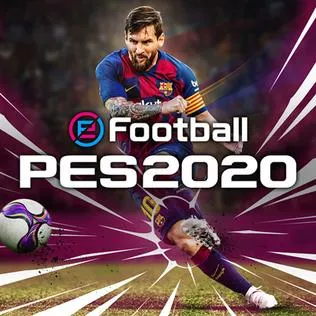
eFootball PES 2020 PC
Enjoy realistic football action in eFootball PES 2020 PC with tactical gameplay, smooth controls, authentic teams, and immersive match atmosphere on computer.
eFootball PES 2020 PC is a highly acclaimed football simulation video game developed and published by Konami. As part of the long-running Pro Evolution Soccer series, this title marked a major step forward by rebranding the franchise under the “eFootball” name. The game gained widespread popularity for its realistic gameplay mechanics, improved ball physics, and more lifelike player movements. With millions of players worldwide, PES 2020 became a favorite among football fans who value tactical depth and authentic match flow.
The game focuses on delivering a realistic football experience rather than arcade-style action. Player positioning, passing accuracy, ball control, and tactical awareness all play a major role in match outcomes. Konami introduced refined animations, enhanced dribbling mechanics, and improved AI behavior to make matches feel more dynamic and unpredictable. From casual exhibition matches to deep career-style modes, the gameplay caters to both newcomers and experienced football gamers.
On PC, eFootball PES 2020 truly stands out thanks to smoother performance, higher resolutions, and flexible control options. The larger screen enhances visibility of the pitch, while stable frame rates make fast plays and precise movements easier to execute. If you enjoy strategic football gameplay with realistic pacing and immersive match atmosphere, downloading eFootball PES 2020 on PC is an excellent choice for any football enthusiast.
Key Features
1. Realistic Football Simulation Gameplay
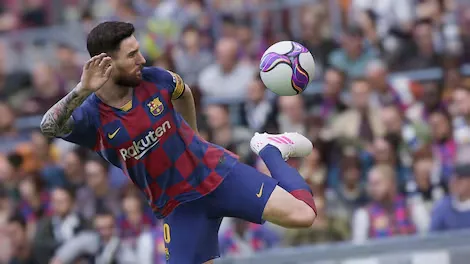
eFootball PES 2020 PC is known for its realistic approach to football simulation. The game focuses heavily on authentic match flow, realistic ball physics, and player positioning. Every pass, tackle, and shot feels weighty and deliberate, encouraging players to think tactically rather than relying on arcade-style speed. For new players, this realism helps build an understanding of real football strategies such as build-up play, spacing, and timing.
2. Advanced Dribbling and Ball Control System
The dribbling system in PES 2020 has been significantly refined, allowing players to perform tight turns, controlled touches, and skill-based movements with greater precision. Close ball control makes one-on-one situations more exciting and skill-dependent. New players can gradually learn how to beat defenders using timing and movement rather than button spamming, making gameplay more rewarding.
3. Improved Player Animations and Movement
Player animations are smoother and more lifelike, thanks to motion-captured movements and improved transitions. Running, shooting, sliding, and tackling all look natural, which adds to immersion. For beginners, realistic animations make it easier to read player actions and react appropriately during fast-paced moments.
4. Master League Career Mode
Master League remains one of the strongest features of eFootball PES 2020 PC. Players can manage a football club over multiple seasons, handling transfers, tactics, player development, and match strategy. This mode teaches new players the importance of squad balance, long-term planning, and tactical adaptability while offering deep, engaging career gameplay.
5. myClub Team Building Mode
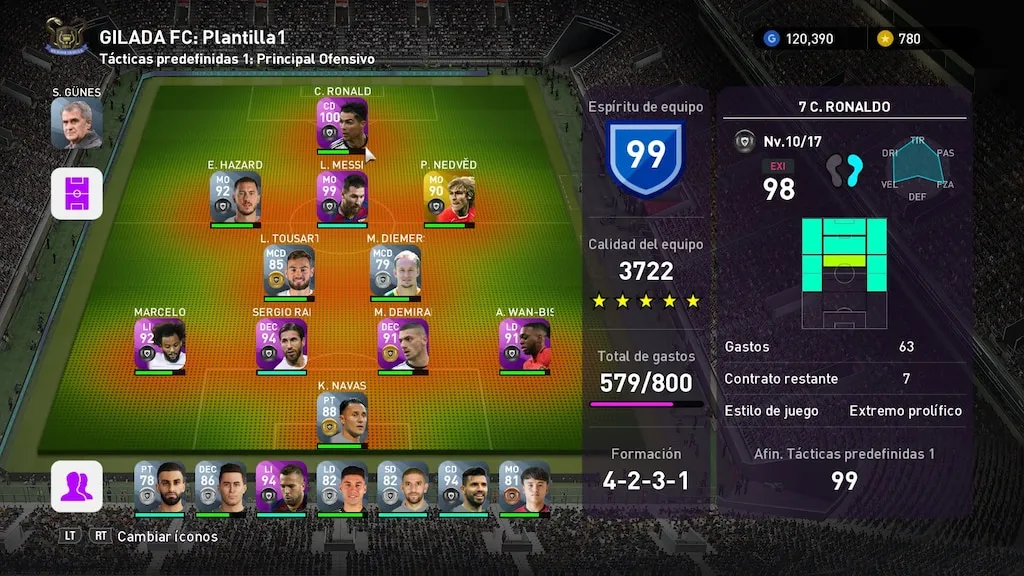
myClub allows players to build their dream team by signing real footballers and competing in various challenges. Players earn rewards by completing matches and objectives, encouraging progression over time. For new players, myClub introduces team chemistry, squad management, and competitive play in a structured and enjoyable way.
6. Smarter and More Adaptive AI
The AI in PES 2020 has been improved to react more intelligently to player behavior. Opponents adjust their tactics, defend more realistically, and exploit mistakes. This creates more challenging and varied matches. Beginners can lower the difficulty to learn at a comfortable pace, then increase it as their skills improve.
7. Tactical Depth and Team Customization
eFootball PES 2020 PC offers deep tactical customization options, including formations, pressing styles, defensive lines, and attacking instructions. Players can tailor their team’s behavior to match their preferred playstyle. This feature helps new players understand football tactics and experiment with different strategies to find what works best.
8. Licensed Clubs and Authentic Atmosphere
The game includes officially licensed teams, players, and stadiums, creating an authentic football atmosphere. Crowd reactions, chants, and stadium details enhance immersion during matches. For new players, this realism makes the experience feel closer to watching or playing real football.
9. Offline and Online Multiplayer Modes
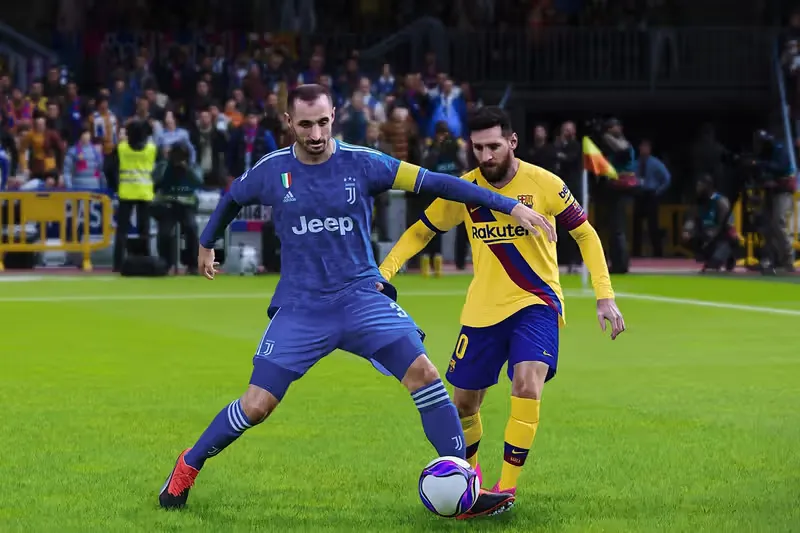
PES 2020 supports both offline local multiplayer and online competitive matches. Players can enjoy couch multiplayer with friends or compete against others worldwide. Multiplayer modes help new players test their skills, learn different playstyles, and improve through real competition.
10. Optimized PC Performance and Control Flexibility
eFootball PES 2020 PC runs smoothly with adjustable graphics settings and stable frame rates. The game supports keyboard and mouse as well as controllers, giving players flexibility in control choice. This optimization ensures comfortable long play sessions, making it ideal for both casual and dedicated football gamers.
How to Download eFootball PES 2020 on PC
- Click the Download button on this page to safely get the latest PC build.
- Choose your platform (Windows recommended; Mac/Linux may also be available if listed).
- When prompted, Save the file to an easy location (e.g., Downloads or Desktop).
- If the file is a .zip (or .rar), right-click it and select Extract All… to a new folder.
- Open the extracted folder and double-click
eFootball PES 2020 PC.exeto launch. - If Windows SmartScreen appears, click More info → Run anyway (only proceed if you downloaded from the button on this page).
- Optional: right-click the .exe and choose Create shortcut to pin it to Start/Desktop.
- In Options/Settings, set fullscreen/windowed, audio levels, and keybinds (WASD/Arrows).
- For future updates, return to this page and click the Download button again, then replace your old game folder with the new one.
System Requirements
| Component | Minimum Requirements | Recommended Requirements |
|---|---|---|
| OS | Windows 10 (64-bit) | Windows 11 (64-bit) |
| Processor | Intel Core i5 | Intel Core i7 |
| RAM | 8 GB | 16 GB |
| Graphics | NVIDIA GTX 660 / AMD equivalent | GTX 1060 or better |
| Storage | 40 GB available space | 40 GB SSD |
| DirectX | Version 11 | Version 12 |
How to Play eFootball PES 2020 on PC
Playing eFootball PES 2020 on PC starts with setting up your preferred control method. The game supports both keyboard and mouse as well as controllers, allowing players to choose what feels most comfortable. New players should begin with training mode or exhibition matches to learn basic controls such as passing, shooting, sprinting, and defending. Unlike arcade-style football games, PES 2020 rewards patience and positioning, so understanding player movement and ball control is essential. Learning how to switch players effectively and time tackles properly helps prevent defensive mistakes.
As you gain experience, focusing on tactics becomes important. Selecting the right formation, adjusting team instructions, and controlling match tempo can significantly influence results. Mastering dribbling, first touches, and through balls helps create scoring opportunities. On PC, smooth performance and responsive controls make it easier to execute precise passes and shots. Practicing different teams and playstyles improves adaptability, while adjusting difficulty levels helps players progress at their own pace and enjoy competitive gameplay.

Why Play eFootball PES 2020 on PC?
Playing eFootball PES 2020 on PC offers several advantages that enhance the overall football experience. Enhanced graphics options provide sharper visuals, smoother animations, and clearer pitch details, making matches more immersive. Keyboard and mouse support, along with controller compatibility, gives players flexibility in how they control gameplay. Unlike mobile or handheld platforms, PC gaming eliminates battery drain, allowing long uninterrupted play sessions.
Another key benefit is the larger screen experience, which improves field awareness and tactical decision-making. PC players can multitask easily by streaming gameplay, recording matches, or adjusting settings without leaving the game. Where supported, cross-platform progress syncing allows players to continue their progress across compatible platforms. With stable performance, customization options, and comfort for extended sessions, the PC version is an ideal way to enjoy eFootball PES 2020.fortable football gaming experience.
FAQs
Conclusion
eFootball PES 2020 PC delivers a realistic and tactical football experience that appeals to true fans of the sport. With refined gameplay mechanics, deep modes like Master League, and smooth PC performance, it remains a strong choice for football gamers. If you want a football simulation that rewards skill and strategy, use the download button in this article and enjoy eFootball PES 2020 on your PC today.