Papa’s Freezeria Deluxe PC
Run a fun ice cream shop in Papa’s Freezeria Deluxe PC with smooth mouse controls, colorful visuals, offline play, endless upgrades, and relaxing time management gameplay.
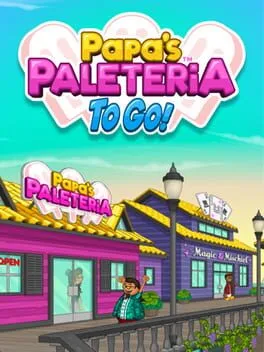
Papa’s Freezeria Deluxe PC is a fun and addictive time-management simulation game developed by Flipline Studios, a developer widely known for its popular Papa’s restaurant series. This Deluxe edition brings the classic freezer-themed gameplay to PC with enhanced visuals, smoother performance, and additional features that make the experience more enjoyable than ever. Players take on the role of a shop employee tasked with running a beachside ice cream shop, preparing delicious frozen treats for a growing list of customers.
The game gained massive popularity due to its simple mechanics, charming art style, and satisfying progression system. Millions of players worldwide have enjoyed serving sundaes, unlocking new ingredients, and mastering customer orders. What makes Papa’s Freezeria Deluxe especially appealing is how it blends relaxing gameplay with strategic time management. As days progress, orders become more complex, pushing players to improve efficiency and multitasking skills.
From a gameplay perspective, Papa’s Freezeria Deluxe PC focuses on managing multiple stations, balancing speed with accuracy, and keeping customers happy to earn tips and upgrades. The PC version enhances the experience with precise mouse controls and a larger screen, making it easier to manage busy shifts. If you love casual simulation games that are easy to learn but challenging to master, scroll down and use the download button available on this page to safely download the game and start running your freezer shop on your computer.
Key Features
1. Deep and Addictive Time-Management Gameplay
Papa’s Freezeria Deluxe PC is built around classic time-management mechanics that are easy to learn but challenging to master. Players must juggle multiple customer orders, manage preparation time, and serve desserts efficiently to maintain satisfaction. Each in-game day introduces more pressure, encouraging players to think ahead and optimize their workflow. This gradual increase in difficulty keeps new players engaged while steadily improving their multitasking skills.
2. Multiple Interactive Dessert Stations
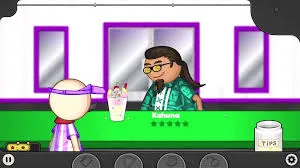
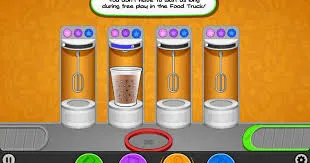
The game features several interactive stations, including the Order Station, Mix Station, Build Station, and Topping Station. Each station plays a vital role in creating the perfect frozen treat. Players must move smoothly between these areas, ensuring that each step is completed correctly and on time. Mastering station transitions is essential for earning high scores and generous tips.
3. Wide Variety of Ice Cream Flavors and Toppings
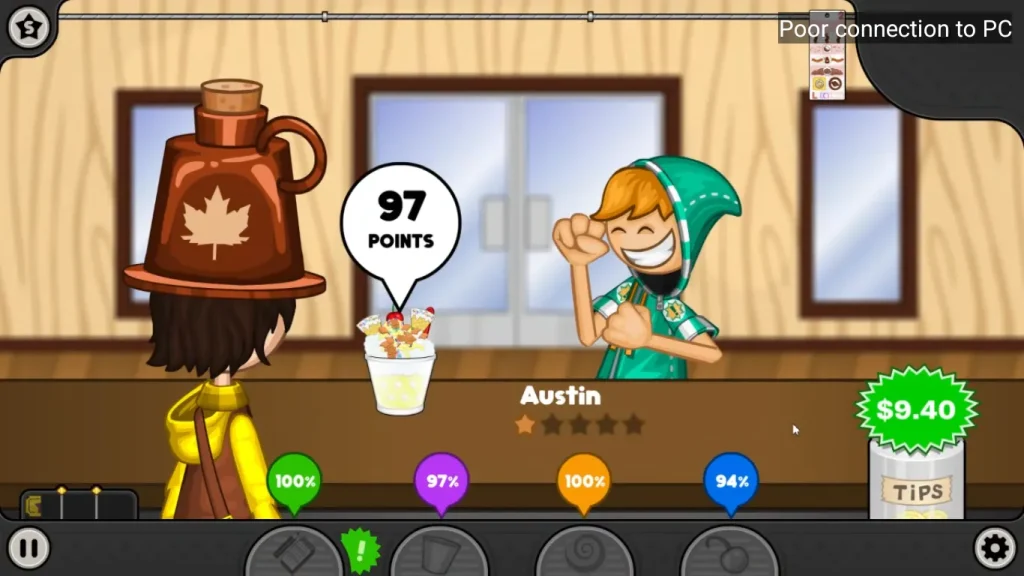
Papa’s Freezeria Deluxe offers an impressive selection of ice cream flavors, syrups, whipped creams, and toppings. As players progress, new ingredients unlock, allowing for increasingly complex dessert creations. This variety keeps gameplay fresh and rewarding while encouraging creativity. New players quickly learn how ingredient combinations affect customer satisfaction and scoring.
4. Unique Customers with Individual Preferences
Each customer in the game has specific tastes, patience levels, and expectations. Some customers are more forgiving, while others demand perfection. Learning these preferences helps players prioritize orders and adjust preparation speed. This system adds personality to the game and teaches players how attention to detail directly impacts success.
5. Rewarding Progression and Unlock System
Progression in Papa’s Freezeria Deluxe PC feels meaningful and motivating. Completing daily shifts unlocks new ingredients, customers, and shop features. Players earn points and tips that can be used to enhance gameplay. This steady reward cycle keeps new players invested and provides long-term goals beyond simple order completion.
6. Shop Upgrades and Customization Options
Players can upgrade equipment and decorate the shop to improve efficiency and customer patience. Items like better mixers, alarms, and furniture help manage busy days more effectively. Customization also allows players to personalize their shop’s appearance, making the experience feel more personal and engaging.
7. Seasonal and Holiday Content
As in-game time passes, seasonal events and holiday themes appear. These introduce special ingredients, themed decorations, and unique customers. Seasonal content adds visual variety and breaks routine gameplay, keeping the experience exciting for long-term players while offering new challenges to master.
8. Smooth and Precise PC Controls
The PC version offers smooth mouse-based controls that make dessert preparation more accurate and comfortable. Precise cursor movement helps with topping placement and station navigation, reducing mistakes during busy shifts. For new players, PC controls make learning the mechanics faster and more intuitive compared to touch-based versions.
9. Relaxing Visual Style with Clear Feedback
Papa’s Freezeria Deluxe uses a colorful, clean art style that is easy on the eyes. Visual indicators clearly show customer satisfaction, timers, and order progress. This clarity helps new players understand what they’re doing right or wrong, allowing them to improve without frustration while enjoying a relaxing atmosphere.
10. Endless Replayability with No Fixed Ending
There is no strict ending in Papa’s Freezeria Deluxe PC. Players can continue serving customers, unlocking content, and perfecting their performance indefinitely. This endless gameplay loop makes the game ideal for casual sessions or long-term play. New players can progress at their own pace without pressure, making it a highly replayable and stress-free simulation experience.
How to Download Papa’s Freezeria Deluxe on PC
- Click the Download button on this page to safely get the latest PC build.
- Choose your platform (Windows recommended; Mac/Linux may also be available if listed).
- When prompted, Save the file to an easy location (e.g., Downloads or Desktop).
- If the file is a .zip (or .rar), right-click it and select Extract All… to a new folder.
- Open the extracted folder and double-click
Papa's Freezeria Deluxe PC.exeto launch. - If Windows SmartScreen appears, click More info → Run anyway (only proceed if you downloaded from the button on this page).
- Optional: right-click the .exe and choose Create shortcut to pin it to Start/Desktop.
- In Options/Settings, set fullscreen/windowed, audio levels, and keybinds (WASD/Arrows).
- For future updates, return to this page and click the Download button again, then replace your old game folder with the new one.
System Requirements
| Requirement | Minimum |
|---|---|
| OS | Windows 7 / 8 / 10 |
| Processor | Intel Dual Core |
| RAM | 2 GB |
| Graphics | Integrated Graphics |
| Storage | 300 MB available space |
| Sound Card | Any compatible sound device |
How to Play Papa’s Freezeria Deluxe on PC
Playing Papa’s Freezeria Deluxe on PC begins with understanding how each station works and how orders flow through your shop. At the start of every day, customers arrive and place their orders at the Order Station. Pay close attention to their requested ice cream flavors, mix time, cup size, and toppings. After taking the order, move to the Mix Station where timing is crucial mixing too little or too much affects the final score. Once mixed correctly, head to the Build and Topping Stations to assemble the sundae exactly as requested. Accuracy matters just as much as speed, especially as customer expectations increase.
As the game progresses, managing multiple orders becomes the real challenge. You’ll need to multitask efficiently, deciding which order to prioritize based on customer patience meters. Playing on PC makes this easier thanks to smooth mouse controls, allowing quick station switching and precise topping placement. Use tips earned from satisfied customers to purchase upgrades that improve workflow, such as faster machines or items that increase customer patience. With practice, you’ll develop a rhythm that balances speed, accuracy, and planning, helping you handle even the busiest days with confidence.
Why Play Papa’s Freezeria Deluxe on PC?
Papa’s Freezeria Deluxe on PC offers a noticeably more comfortable and polished experience compared to smaller-screen platforms. Enhanced visuals on a larger display make it easier to read orders, monitor timers, and manage multiple stations without feeling overwhelmed. Mouse controls provide excellent precision when pouring mixes and placing toppings, which directly improves order accuracy and overall scores. These advantages help players perform better, especially during later, more demanding stages of the game.
Another key benefit of playing on PC is convenience. There is no battery drain to worry about, allowing for long, uninterrupted play sessions. PC multitasking also lets players adjust settings, pause between shifts, or manage other tasks seamlessly. In supported setups, cross-platform progress syncing allows players to continue their progress without losing achievements. Combined with better control, visual clarity, and overall comfort, the PC version is the ideal way to enjoy Papa’s Freezeria Deluxe at your own pace.
FAQs
Conclusion
Papa’s Freezeria Deluxe PC is a delightful time-management simulation that combines relaxing gameplay with rewarding challenges. With its charming design, smooth PC controls, and endless progression, it’s perfect for casual gamers of all ages. If you enjoy managing restaurants and creating delicious desserts, scroll down and use the download button available in this article to safely download the game and start your freezer shop adventure today.