
ASTRONEER PC
Explore distant planets in ASTRONEER PC. Gather resources, build bases, craft vehicles, and shape alien worlds in this creative open-world space exploration adventure game.
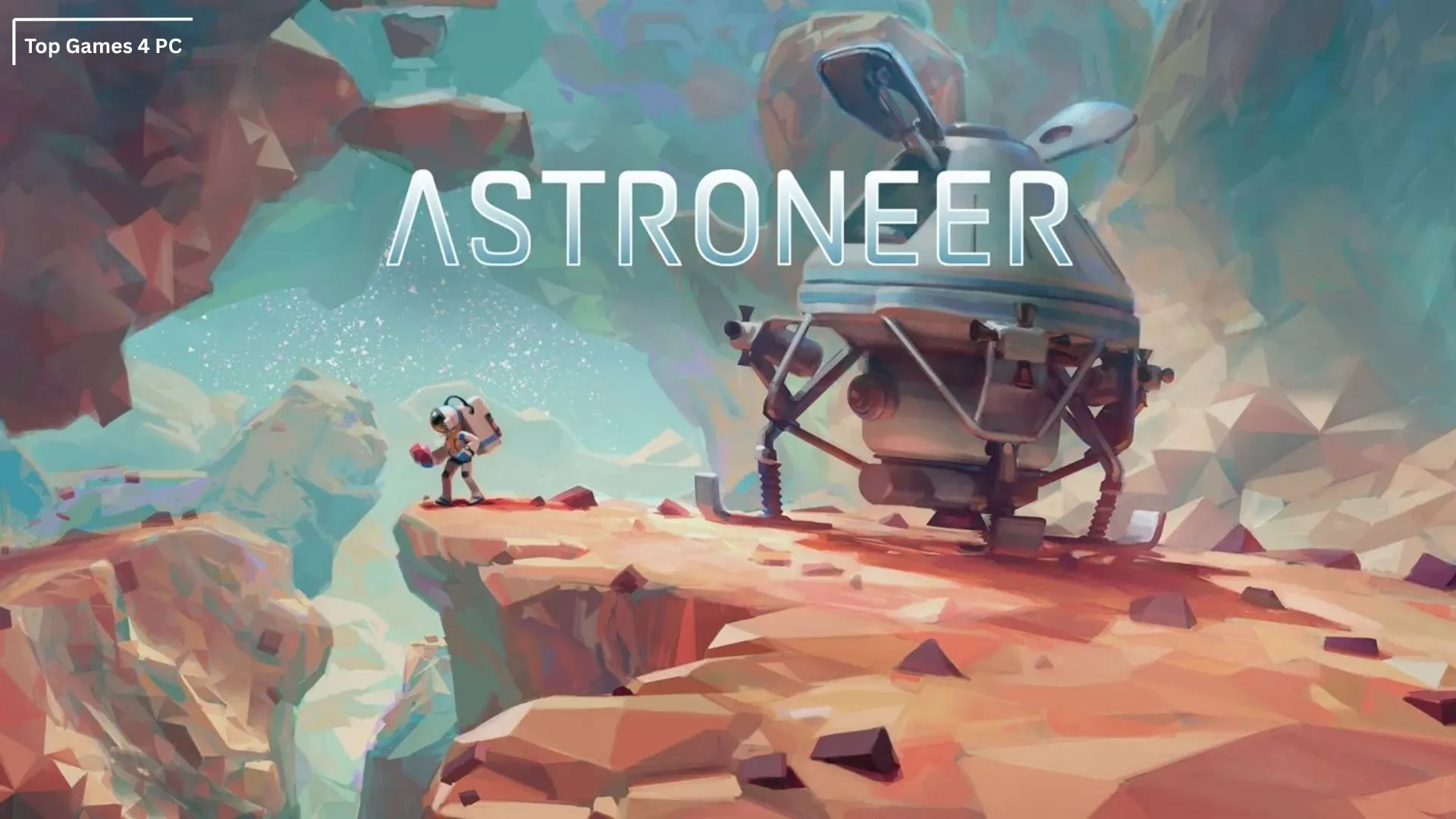
When it comes to sandbox space exploration, ASTRONEER PC has carved its own unique identity in the gaming universe. Developed by System Era Softworks, this title first appeared in Early Access on Steam back in 2016 and officially launched in 2019. From the very beginning, the PC version has been regarded as the original and most complete platform for the game. With unmatched graphical fidelity, modding flexibility, and smooth performance, the PC edition continues to deliver the definitive ASTRONEER experience for gamers who want both creativity and exploration on a grand scale.
ASTRONEER is not just about survival it’s about reshaping entire worlds with your imagination. The sandbox gameplay mechanics allow players to dig, sculpt, and design planets at will using the innovative Terrain Tool. On PC, these mechanics shine even brighter thanks to precise keyboard and mouse controls, higher frame rates, and full support for multiplayer sessions with friends. From crafting powerful rovers and shuttles to setting up vast resource networks, the game thrives on freedom and experimentation, rewarding those who love building and discovery.
Beyond gameplay, ASTRONEER PC has achieved cultural recognition as a viral sandbox phenomenon. The title has inspired a thriving community of modders and creators, who push the limits of what’s possible within its cosmic worlds. Videos of breathtaking planetary builds and ingenious contraptions continue to spread across YouTube and social media, keeping the game alive in the hearts of fans worldwide. With millions of copies sold and a reputation as one of the most innovative indie space adventures of the decade, ASTRONEER PC remains a must-play experience for explorers, builders, and dreamers alike.

Key Features
1. Fully Deformable Terrain
One of ASTRONEER’s most unique elements is its terrain manipulation system. Using the Terrain Tool, players can dig, shape, and sculpt the world to their liking. You can carve tunnels deep into the ground, flatten areas to construct bases, or even build massive custom structures. Unlike traditional survival games, ASTRONEER turns the environment into a creative canvas where every mountain or crater can be transformed.
2. Planetary Exploration
The game offers multiple procedurally generated planets, each with its own biomes, climates, and resources. Whether it’s barren deserts, lush forests, or mysterious caverns, no two worlds feel the same. On PC, enhanced graphical fidelity makes these alien landscapes more vibrant and immersive, encouraging players to travel further and discover hidden secrets.

3. Resource Collection and Crafting
ASTRONEER PC is the process of gathering resources like resin, compound, lithium, and astronium. These raw materials can be refined and used to craft everything from simple tethers to complex research stations. The crafting system is straightforward yet deep, letting players expand their technology tree and unlock advanced tools.
4. Base Building and Expansion
Players can design and expand futuristic bases that serve as both a home and a hub for exploration. Modules such as smelters, research labs, and trade platforms can be added to meet survival needs. On PC, building feels smoother thanks to precision controls and modding options that allow for even greater customization.
5. Vehicles and Transportation
Exploring massive planets would be difficult on foot alone, which is why ASTRONEER lets players craft rovers, tractors, and shuttles. These vehicles make long-distance exploration possible and help with hauling resources. Vehicle customization and linking trailers add depth, making travel both practical and fun.
6. Oxygen and Survival Systems
Survival in ASTRONEER PC revolves around oxygen. Without it, players cannot survive for long on alien terrain. Using tethers, oxygen tanks, and base connections, players must carefully plan their exploration routes. This survival system adds a sense of tension while also encouraging strategic thinking.
7. Multiplayer Co-Op Mode
ASTRONEER PC supports up to four players in seamless online co-op. Building, exploring, and terraforming planets becomes an even richer experience when shared with friends. PC servers provide stable connections, making teamwork and shared creativity effortless.
8. Seasonal Updates and Live Events
The developers frequently release seasonal content, missions, and new challenges that keep the game fresh. PC players often get early access to beta builds, allowing them to test upcoming features before anyone else. This constant evolution ensures the game never feels stagnant.

9. Modding and Community Creations
One of the biggest strengths of the ASTRONEER PC version is its thriving modding community. Mods can add new gameplay mechanics, improve the user interface, or introduce entirely new tools. This community-driven creativity expands the game far beyond its original scope.
10. Relaxed Yet Engaging Gameplay
Unlike many survival games that focus on combat, ASTRONEER emphasizes creativity and exploration. Its relaxed, combat-free environment makes it ideal for gamers of all ages. The balance of survival elements with open-ended sandbox freedom creates a rewarding and stress-free experience on PC.
How to Download ASTRONEER on PC
- Click the Download button on this page to safely get the latest PC build.
- Choose your platform (Windows recommended; Mac/Linux may also be available if listed).
- When prompted, Save the file to an easy location (e.g., Downloads or Desktop).
- If the file is a .zip (or .rar), right-click it and select Extract All… to a new folder.
- Open the extracted folder and double-click
ASTRONEER PC.exeto launch. - If Windows SmartScreen appears, click More info → Run anyway (only proceed if you downloaded from the button on this page).
- Optional: right-click the .exe and choose Create shortcut to pin it to Start/Desktop.
- In Options/Settings, set fullscreen/windowed, audio levels, and keybinds (WASD/Arrows).
- For future updates, return to this page and click the Download button again, then replace your old game folder with the new one.
System Requirements
| Component | Minimum Requirements | Recommended Requirements |
|---|---|---|
| OS | Windows 7, 64-bit | Windows 10, 64-bit |
| Processor (CPU) | Intel Dual Core 2.0 GHz | Intel i5 or higher |
| Memory (RAM) | 4 GB | 8 GB |
| Graphics (GPU) | NVIDIA GeForce GTX 670 / AMD Radeon HD 7870 | NVIDIA GTX 1060 / AMD equivalent |
| DirectX | Version 11 | Version 11 or higher |
| Storage | 2 GB free space | 4 GB free space |
| Network | Broadband Internet connection | Broadband Internet connection |
How to Play ASTRONEER on PC
Playing ASTRONEER PC is all about balancing exploration, creativity, and survival. When you first land on a planet, you start with limited resources and tools. Your primary objective is to secure oxygen and power by setting up tethers and base modules. Begin by collecting essential resources like compound and resin, which are crucial for crafting. Use these to build platforms, printers, and shelters that allow you to expand your capabilities. The Terrain Tool becomes your best companion helping you mine resources, shape terrain, and create pathways. Gradually, you’ll unlock advanced technologies that let you produce vehicles, smelters, and research chambers, which will expand your survival options and exploration reach.
Once you’ve mastered the basics, the true magic of ASTRONEER begins. You can construct rovers and shuttles to explore distant landscapes, set up mining operations on different planets, and even collaborate with friends in co-op multiplayer. Exploration is infinite, and every world is procedurally generated, so your adventure will never feel the same twice. The PC version enhances this experience with precise controls, smooth frame rates, and modding support, making your gameplay even more immersive. The goal isn’t just survival it’s shaping entire worlds to reflect your imagination and curiosity.

Why Play ASTRONEER on PC?
The PC version of ASTRONEER stands out as the most complete and flexible way to enjoy this sandbox space adventure. With enhanced graphics settings, higher frame rates, and precise keyboard-and-mouse controls, the game feels more responsive and immersive. You can enjoy vibrant alien landscapes in crisp detail and navigate terrain with far greater accuracy compared to other platforms. The larger screen of a PC also adds to the sense of scale, making exploration and base-building more impactful.
Beyond visuals and controls, playing ASTRONEER on computer brings practical benefits that console or mobile versions cannot match. There’s no battery drain, multitasking is easier, and players can take advantage of cross-platform progress syncing to continue adventures seamlessly. Add in the thriving PC modding community, and you have access to endless customizations and gameplay enhancements. For those who want the richest, smoothest, and most creative experience, PC remains the definitive way to play ASTRONEER.
FAQs
Conclusion
ASTRONEER PC delivers the ultimate space sandbox adventure where creativity, exploration, and survival blend seamlessly. From reshaping alien landscapes to building complex bases and traveling across mysterious planets, the PC version offers the most immersive and flexible experience possible. With enhanced visuals, smooth performance, modding support, and stable multiplayer, it remains the definitive platform for both newcomers and seasoned explorers. Whether you want to play solo or team up with friends, the universe of ASTRONEER awaits. Click the Download button on this page today and begin shaping your own interstellar journey.